Hello Geekhack!
I’m excited and a little nervous to share
KeebVault, a tool for collection management.
The main idea is simple:
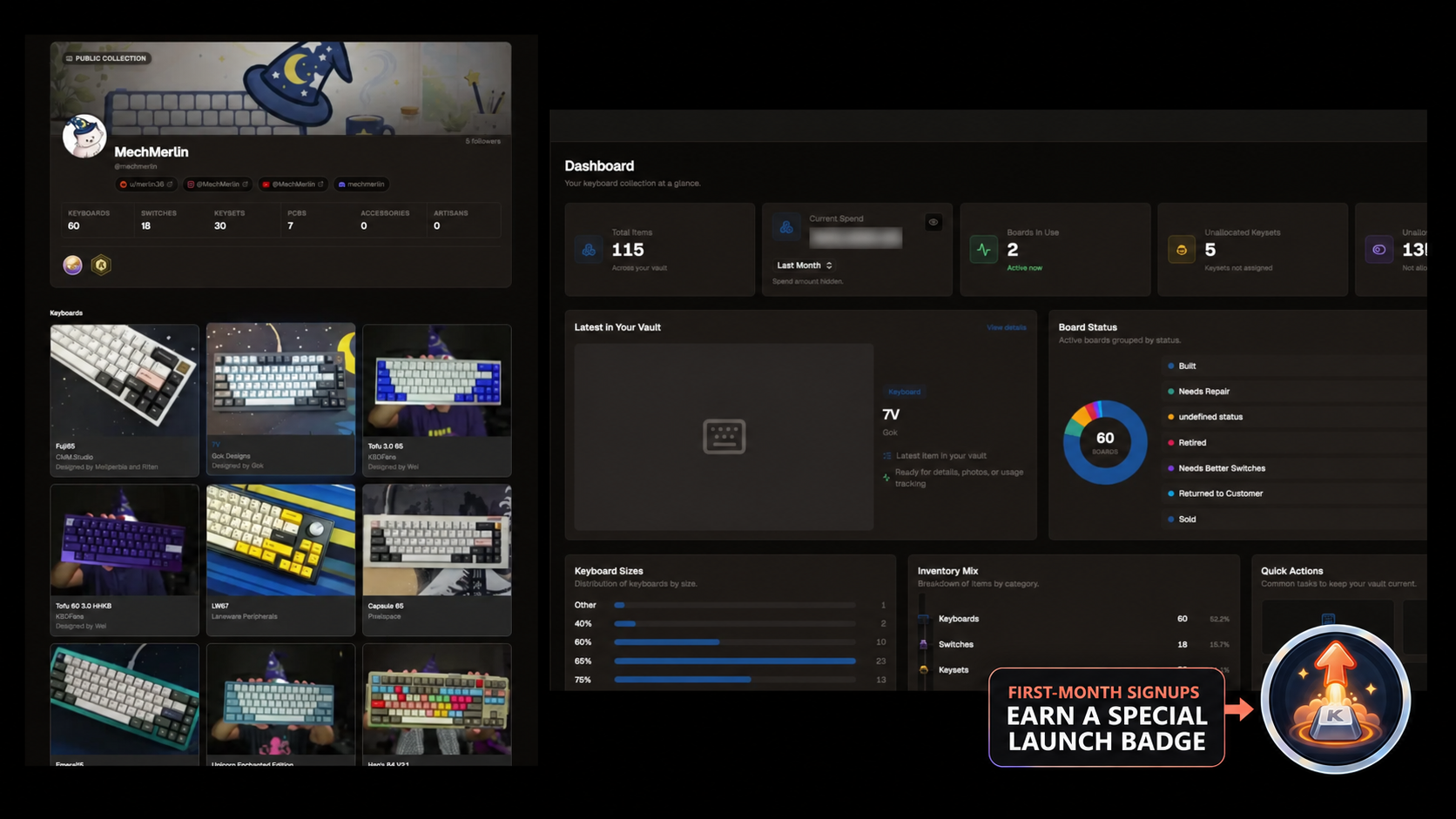
KeebVault gives you one place to catalog your keyboards and all the parts that go with them. Instead of trying to remember what is installed where—or digging through several spreadsheets and notes—you can see your collection, builds, inventory, and related parts together.
Why I built itI needed a better way to keep track of all my keyboards, keysets, switches, and other parts.
My collection information was spread across a combination of Notion templates, Google Sheets, Excel files, Post-it notes, and assorted bits of information living in places I had probably forgotten about. You know those cards you fill out at meetups? I had it on those too! It worked technically, but it was hard to get a clear picture of everything I owned and how it was being used.
Between my personal collection, vendor builds and customer builds, it was a chore to keep track of it all.
So I started building KeebVault for myself. I figured other people in the hobby might have the same problem, so I decided to turn it into something the community could use too.
What you can do with KeebVault- Track keyboards, switches, keysets, individual keyset kits, PCBs, artisans, accessories, and more
- Track switch allocations using Switchbook so you know what is in a build and how many loose switches you still have
- Organize everything with collections, tags, favorites, search, gallery views, and list views
- Record purchase, procurement, commission, and build information
- Track which keyboards are currently in use
- Upload photos and documents
- Import an existing collection from CSV or JSON
- Create a public profile and choose which individual items are publicly visible
- Discover other public vaults that have the same keyboard
- Generate meetup placards, including QR codes for public boards
Privacy is opt-in at the item level: your collection is not automatically made public. You decide which items, if any, other people can see.
What is free, and what is paid?KeebVault is free for the vast majority of people.The free plan includes the core collection-management experience: tracking and organizing your inventory, CSV/JSON importing, tags, collections, favorites, public profile sharing, per-item visibility controls, basic meetup placards, and up to:
- 200 total items
- 10 item photos
- 1 photo per item
Paid plans currently start at
$2/month and are mainly for people with larger collections, more extensive photo-storage needs, or who want extras such as keyboard usage history and the customizable Placard Studio. Higher tiers increase the total item and photo limits, with an unlimited-item Collector plan at
$7/month.
A bit about the development sideI’m not a full-stack engineer. My career has primarily been in Firmware, Automation, and DevOps. Even that has been some time ago, so building a complete web application has been an exciting and fun way to learn a lot of new technologies and scratch my development itch.
AI has done wonders in helping bridge the many gaps in my knowledge along the way. I have still had to make the product decisions, understand and test the implementation, work through the failures, and learn an enormous amount—but AI made it possible for me to move through unfamiliar parts of the stack much faster than I otherwise could have.
TBH the one thing I still haven't been able to feel comfortable in is UI development! Thankfully AI does a lot of the heavy lifting in that regard.
This is still a work in progressKeebVault has been around for a few months and has primarily been shared through the MechMerlin community and socials. It currently has a little under 100 users, but I think it is time to put it in front of the wider community and see what happens.
It is still very much a work in progress, and I would genuinely appreciate any feedback, recommendations, criticisms, bug reports, or feature suggestions you have. Tell me what is useful, what is confusing, what is missing, what you hate, what you love, and what makes you wonder why I thought it was a good idea.
With that said, going from fewer than 100 friendly users to posting on Geekhack feels a bit like porting QMK firmware to a brand new board (for those of you who watched my first attempts, you understand), so please prepare for some
breakages. I’ll be nearby with the digital equivalent of a fire extinguisher.
You can check it out here:
https://keebvault.ioThanks for taking a look


