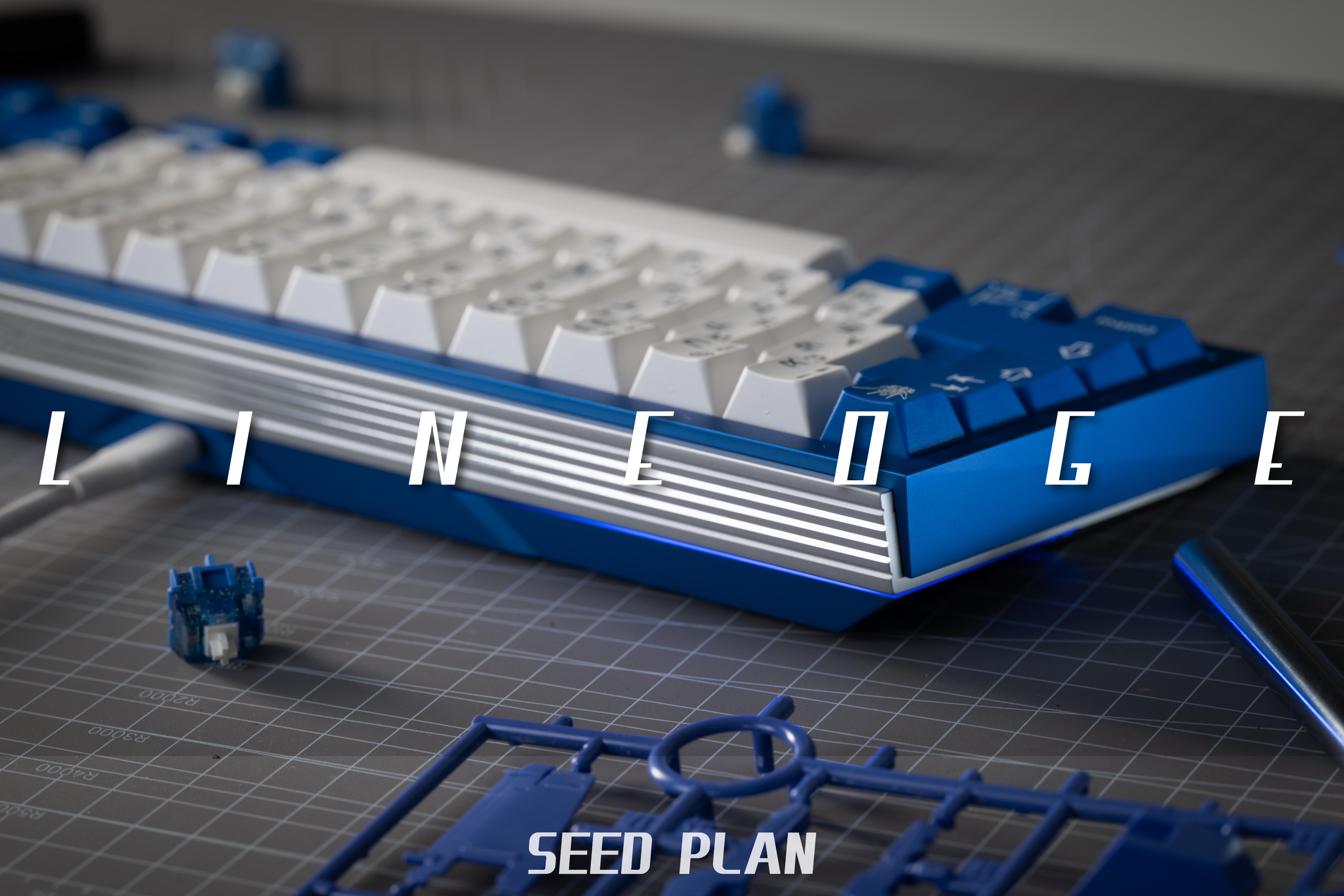
Hey everyone! This is CC. I designed the Tonish TKL and the Linedge 65 is my first 65% keyboard.
Thanks for your patience! It’s been about six months since the last IC, and I can finally share photos of the Linedge 65% prototypes.
After the last IC, I received a lot of feedback from the community. Based on that feedback, I stopped work on the 65%++ version while it was still being prototyped, changed the layout to a standard 65%, and started another round of prototypes.
The combination of two-stage anodizing, polished highlights, machined surface details, and numerous angled surfaces made prototyping particularly time-consuming. That’s why it has taken until now to share proper photos and begin the lead-up to the group buy.
Before getting into the details, I’d like to share a little of the design process. Linedge has taken a long time to bring to life, with plenty of challenges along the way.
Unless otherwise noted, all photos in this post show actual prototypes.
GB Information
GB Timeline
Start Date: November 3rd, 2026
End Date: November 25th, 2026
Estimated Shipping Date: Q2, 2027
Price
Starting at $365 USD
+$10 USD to upgrade to hotswap PCB
+$20 USD to upgrade to SS diagonal machining weight
GB will be held on: https://unikeyboards.com/
Specifications
Typing angle: 7.5°
Mounting system: Silicone grommet PCB gasket mount, supporting multiple grommet hardness options
Front height: 15.50 mm at the lower case; 18.50 mm at the upper case
Each Kit Includes
Available in your choice of the five confirmed colorways. Includes:
Aluminum plate without flex cuts, color-matched to the upper case
1.6 mm high-Tg PCB without flex cuts
Front and rear grilles with polished, secondary-anodized accents, color-matched to the lower case
PVD-coated stainless steel bottom weight
Brushed stainless steel internal weight
One set each of 40A, 50A, and 70A silicone grommets
Bottom PET sheet
PCB options: Hotswap or solder.
For those interested in other plate materials, plate files can be made publicly available for third-party fabrication.
Optional Upgrade
Anodized bottom detailing with diagonal machining lines
Additional Extras
Aluminum plate
PCB: hotswap or solder
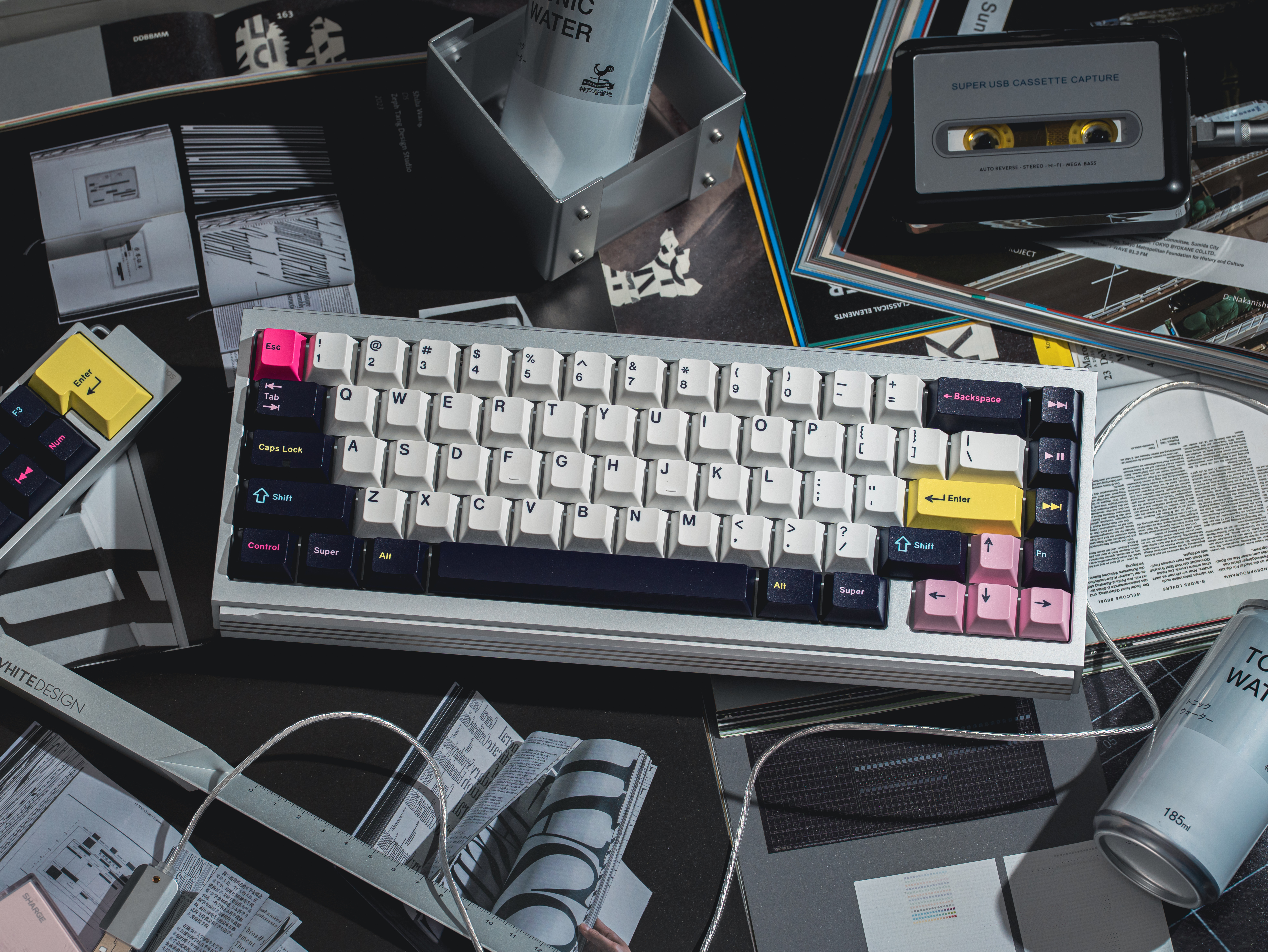
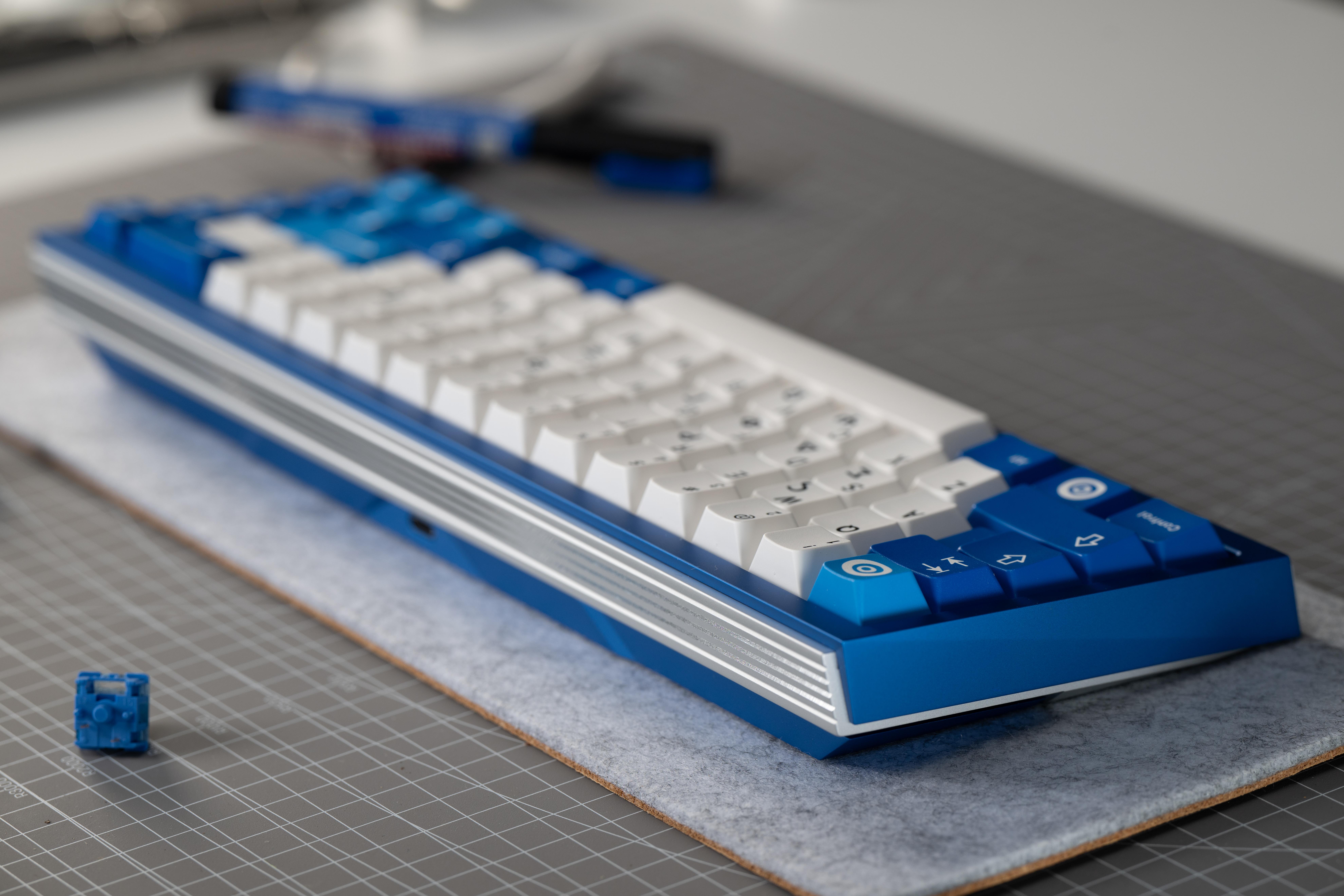
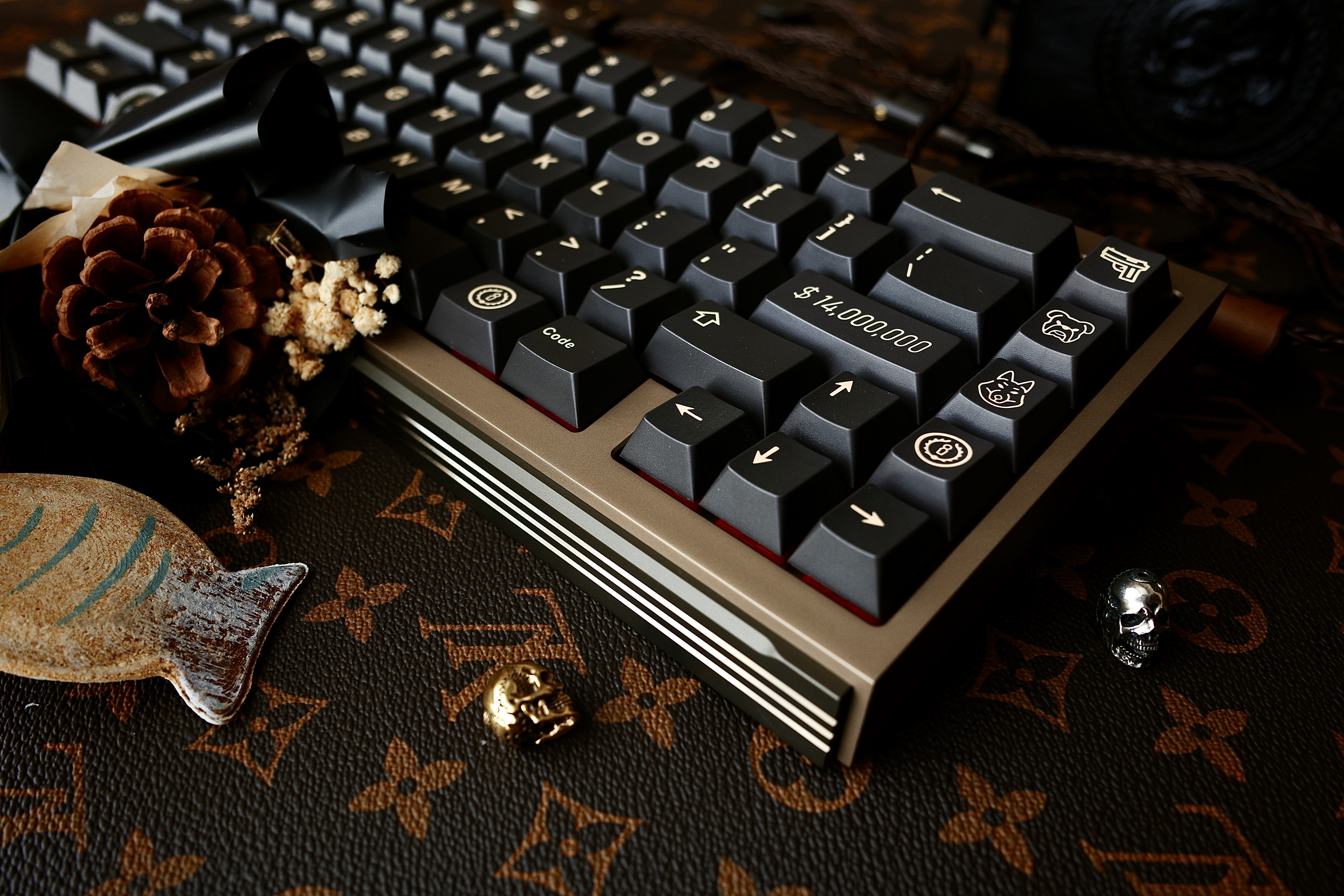
Stream and Videos
Alexotos: November 4th
Captain Sterling:
Keyboard Dad
Bokehbob
Jinju: Dark Green Gold
Silver BlueSilver PurpleChampagne and Brown--------------------------------------------------------------------------------------------------------------
If you are interested in how I designed the keyboard, please keep reading
Design
Linedge has gone through several major revisions:
April 2024: Completed the concept design and established the overall visual direction.
December 2024: Completed the initial design.
August 2025: Finalized the exterior design.
October 2025: Redesigned the internal assembly.
June 2026: Changed the layout from 65%++ to a standard 65%.
There were plenty of moments during these revisions when I considered giving up. I don’t have a formal design background, but I’ve picked up some product design knowledge over the years. Linedge became something I felt determined to see through: a keyboard that achieves a premium feel through industrial design itself, without relying on a theme.
Bauhaus and Constructivism were the main references for Linedge’s design language. Constructivist geometry informed the overall shape, while Bauhaus ideas about function and materials guided the details. Modern metalworking techniques bring those forms to life through light and shadow.
The name Linedge combines Line and Edge, representing the two main elements of the design:
Line: The horizontal layers along the sides, diagonal grooves on the back, and floating gap between the upper and lower case. These lines create direction and movement.
Edge: The parallelogram-shaped side profile, sharp case chamfers, and beveled perimeter around the weight. These edges create strength and order.
One of the central ideas in Constructivism is to break an object down into basic geometric elements—points, lines, and planes—and reorganize them through composition.
The side-profile wireframe shows how I approached Linedge: breaking the keyboard down into lines and angled surfaces, then rebuilding its form from those elements. The original goal was to move beyond a conventional box-shaped case.
With so many custom keyboards exploring rounded profiles, retro curves, or elaborate layered case divisions, I wanted to explore a different direction through geometric composition.
For Linedge, the two-dimensional side profile came first. Once that composition was established, I gradually developed the rest of the three-dimensional form around it.
Floating weightThe floating weight is one of Linedge’s defining features.
The recessed mounting and shadow gap create a sense of suspension through negative space:
They separate the weight from the surrounding case, making each component easier to read.
They create a dark shadow line that emphasizes depth and layering.
They make a heavy metal component appear visually suspended.
They provide space for a concealed light source and indirect lighting.
Once I committed to a floating weight, the next challenge was figuring out how to make the individual parts feel distinct while still belonging to one cohesive design.
My approach was to separate the components physically while keeping certain edges and angled surfaces aligned. This gives the keyboard depth without making each layer feel like an added ornament.
When you turn the keyboard over in your hands, I want you to be able to understand the forms that make it up. The weight sits apart from the case, but their edges continue to relate to one another.
Polished grillesThe polished grilles are another major part of Linedge’s identity. They also took a considerable amount of work to achieve—including custom tooling, with part of the tooling cost coming out of my own pocket.
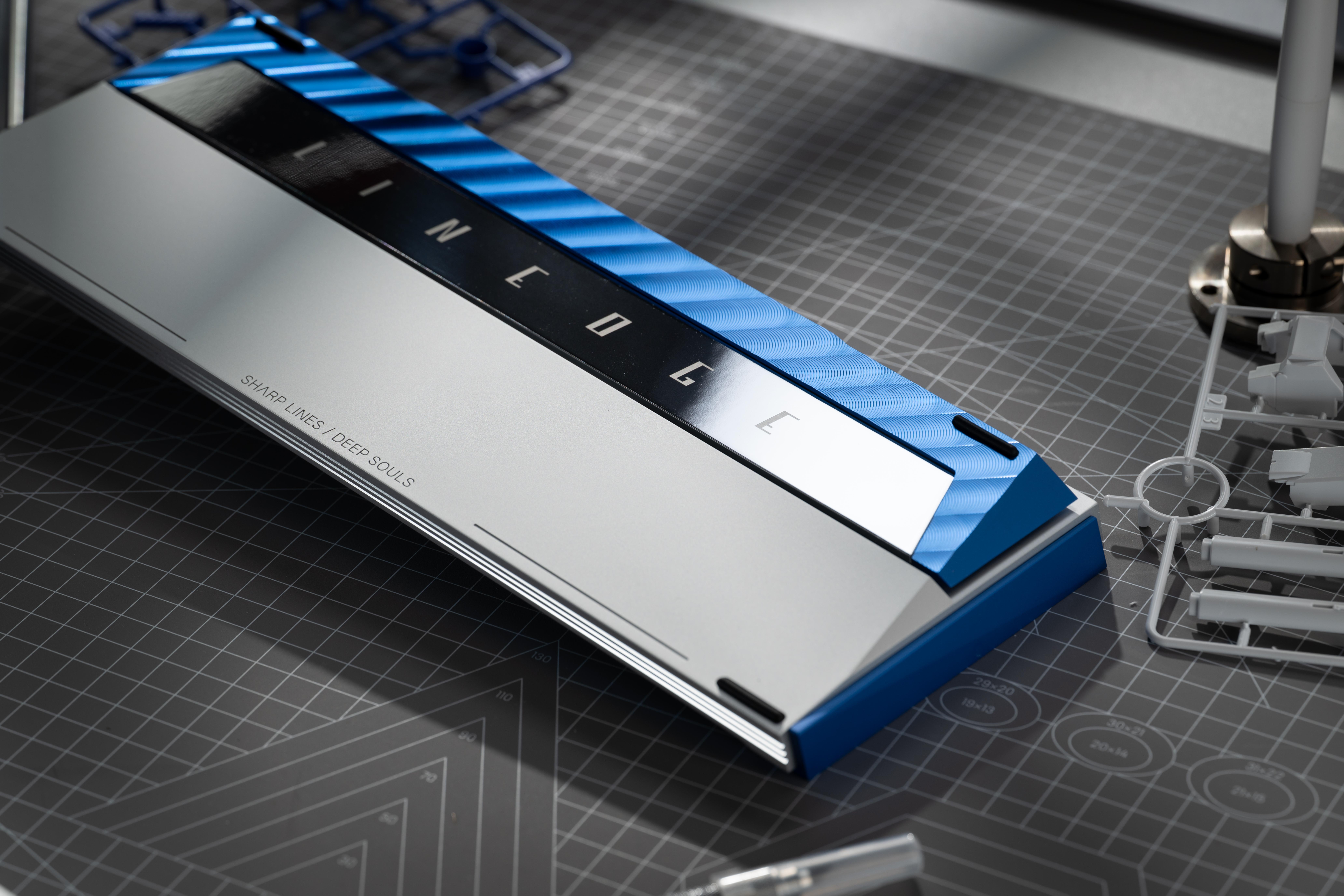
The front and rear grilles were inspired by the Ferrari Daytona SP3.
Angling the front and rear edges of the case created large areas of blank surface. Those areas risked drawing too much attention, so I decided to turn them into a distinctive feature.
The Daytona SP3’s rear grille helped inspire the solution: repeated lines and triangular surfaces, brought out through polished highlights and two-stage anodizing.
The grilles extend across the full length of the keyboard, so the design remains recognizable even when the underside is out of sight.
They also complement the side profile. The sides introduce changes in direction, while the grilles establish a repeating rhythm. One guides your eye through the shape; the other gives it a sense of order.
The front and rear edges are surfaces you see regularly during use. Breaking up those long surfaces with repeated grooves allows the light and shadow to change with your viewing angle, while carrying the geometric language of the sides around to the front.
Whether viewed from a distance, up close, or from underneath, the theme of “line” continues throughout the keyboard. The polished surfaces emphasize that repetition, with much of the character coming from the metal’s texture and the way it catches the light.
One detail worth emphasizing: machining these grilles into two differently angled surfaces is particularly difficult. It involves changes in machining orientation, custom fixtures, and careful alignment between machining operations.
To achieve the highlights I wanted, we commissioned custom diamond cutting tools. This is one of the most demanding—and costly—parts of producing Linedge.
Internal Design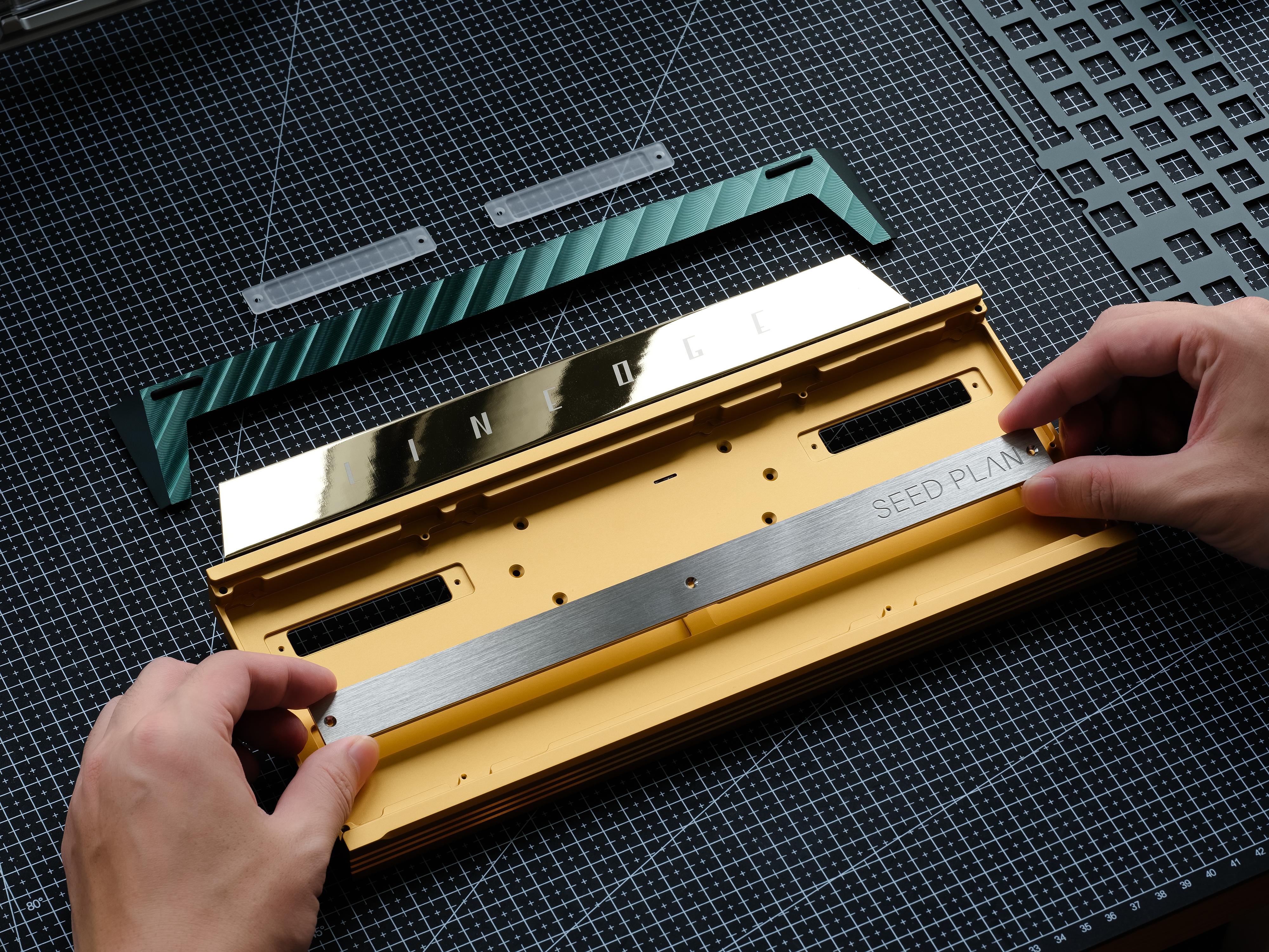
The mounting system went through several iterations:
Short-arm plate gasket → silicone grommet plate gasket → silicone grommet PCB gasket
After seven rounds of prototype testing, we settled on the following PCB gasket mounting positions.
Compared with a plate gasket design, PCB gasket mounting made it easier for us to balance support, since the mounting arrangement is less constrained by the plate’s switch openings. The upper mounting points are evenly distributed.
For the lower mounting points, one of the main priorities was getting the best possible result from the spacebar.
Based on previous experience, keeping the support points away from the spacebar area was a good starting point. Getting an open spacebar sound while reducing unwanted vibration, however, still took a lot of trial and error.
The image below shows one of the earlier plate designs. After repeated comparisons, we found that relief cuts around the spacebar did not give us the support balance or vibration control we wanted. The narrow sections of plate around the switch still provided a path for vibration.
We ultimately chose to remove the plate section around the spacebar entirely. In our testing, this gave the spacebar a more open sound and a cleaner, more decisive feel.
Why does a PCB gasket plate have mounting tabs?
You might notice something unusual: if Linedge uses PCB gasket mounting, why does the plate still have tabs extending toward the gasket positions?
Most PCB gasket designs don’t need those tabs, but we found that keeping them offered some benefits.
GEONWORKS previously developed a gasket extension called PCBSNAP, originally intended as a localized modification to a conventional full O-ring mount.
The gap between the plate and PCB is approximately 3.5 mm. PCBSNAP fills that space above the silicone grommet to provide additional support for the plate. This couples the plate and PCB more closely, making the PCB’s own behavior more influential in how the assembly flexes and vibrates, and giving users another way to adjust feel and sound.
We initially explored a similar approach for Linedge. In our tests, it did not offer a significant improvement over the regular PCB gasket arrangement.
However, the plate tabs we added during that process turned out to have an unexpected benefit.
Linedge uses internal screws to join the upper and lower case, so the plate needs cutouts to clear those screw positions. The plate also has sections around the switch openings that are only 2 mm wide. In our testing, this combination made unwanted vibration more noticeable.
With a 1.5 mm 6063 aluminum plate, some of those constraints were already fixed. The question became how to improve the plate’s behavior within them.
The extended tabs help tie nearby sections of the plate together, adding stiffness around areas that were prone to vibration. The tabs on either side of the spacebar were especially helpful, giving it a noticeably crisper feel in our testing.
There is a tradeoff: the tabs prevent us from using a ledge in the upper case to retain the silicone grommets in the usual way. We addressed that with foam, which worked well in our tests.
It’s one of those small design changes that ended up being more useful than we originally expected.
Confirmed ColorsAll photos below show actual prototypes.
All five confirmed colorways use anodized finishes. There are currently no electrophoretic or painted options.
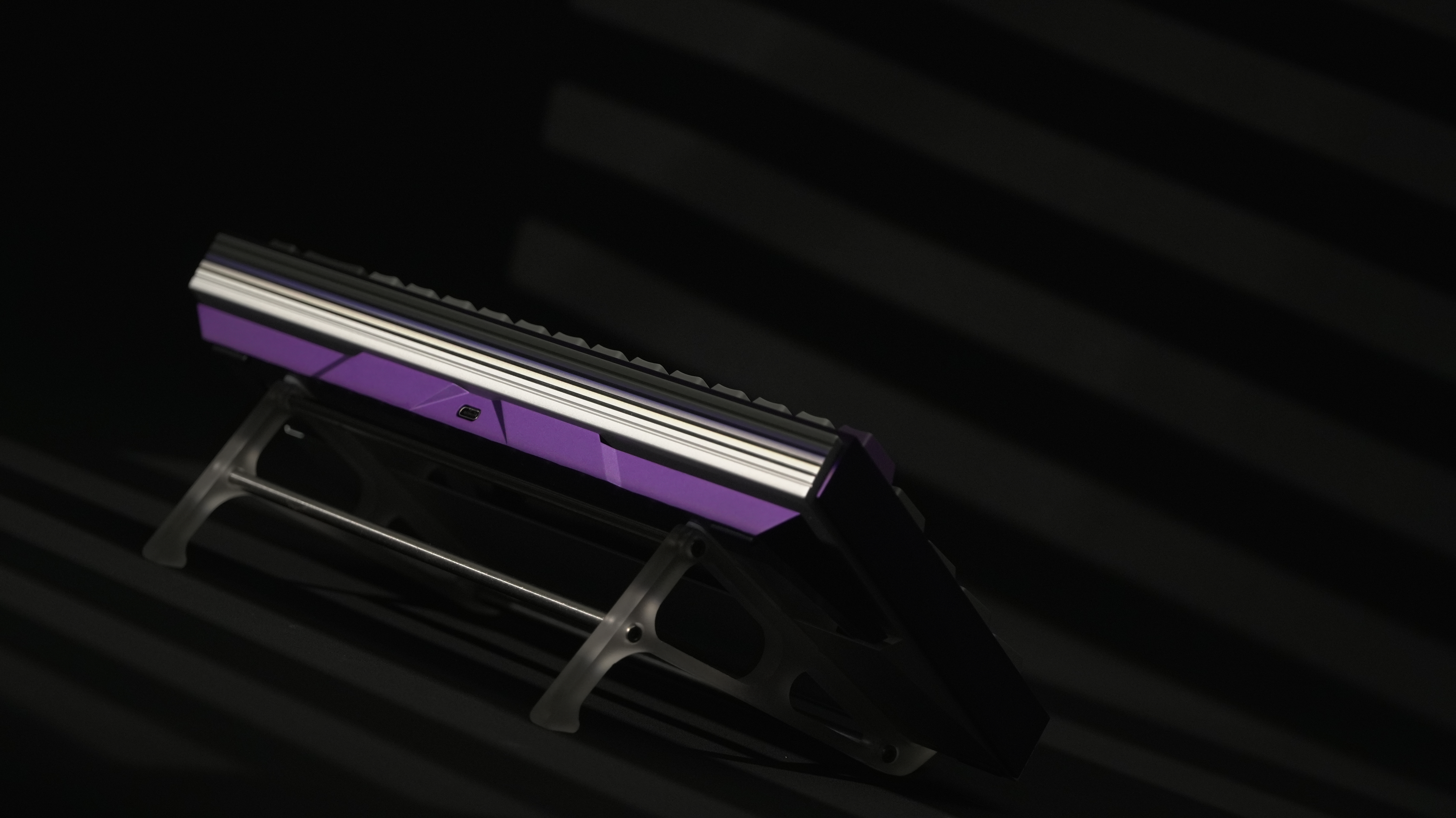
Purple / Silver
Silver PVD-coated stainless steel
Purple secondary-anodized finish with diagonal machining lines
Silver / Silver
Silver PVD-coated stainless steel
Silver secondary-anodized finish with diagonal machining lines
Blue / Silver
Silver PVD-coated stainless steel
Blue secondary-anodized finish with diagonal machining lines
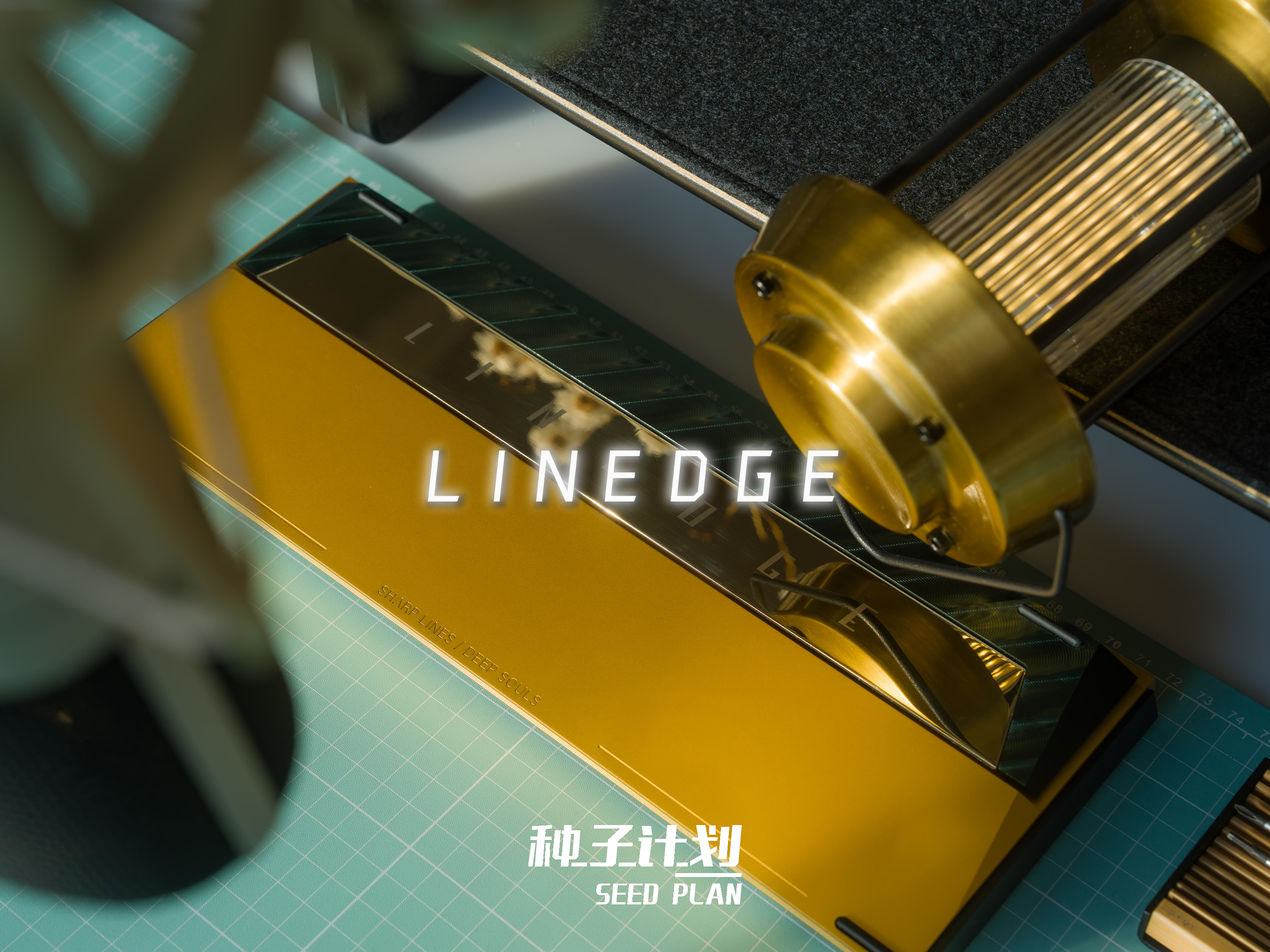
Dark Green / Gold
Gold PVD-coated stainless steel
Dark green secondary-anodized finish with diagonal machining lines
Champagne Gold / Coffee Brown
Gold PVD-coated stainless steel
Champagne gold secondary-anodized finish with diagonal machining lines[/size]


 Recent Posts

